Build real thingsLearn by makingAI · Python · RoboticsSurrey · Clayton BranchSummer 2026Small groups25+ years instructorBeginner → AdvancedBuild real thingsLearn by makingAI · Python · RoboticsSurrey · Clayton BranchSummer 2026Small groups25+ years instructorBeginner → Advanced
SUMMER 2026 · REGISTRATION OPEN

Code.Build.Ship.

From first Python programs to AI-powered apps and Raspberry Pi robot cars — One Step Coding helps students stop watching tutorials and start building real, working technology.

Explore the 4 camps
04Summer camps
25+Years instructor exp
10+Ages welcome
AI neural network
AI & data
Coding on a laptop
Real code
Student building a robot car
Build robots
100%Hands-on,
project-based
// Why families choose us

Built for
real learning.

Not a syntax-drilling tutorial factory. Students plan, build, debug, and ship working technology in a small, encouraging room.

Small-group coaching

Real attention for every student, with college-student TAs assisting the lead engineer.

Lead + TAs

Hands-on building

Hardware on the table from day one — circuits, sensors, robots, real apps.

100% project-based

Ship real projects

Every camp ends with something that works and goes home with the student.

12 builds

Modern tools

Cursor AI, Next.js, Raspberry Pi, Arduino — what real engineers use today.

Industry stack

Loading camps…

// The method

The coding
mindset loop.

Coding is more than syntax — it trains how students think. Every camp moves through the same four steps real engineers use daily.

1

Discover

What's the problem? Frame it.

2

Ideate

Why is it happening? Sketch a fix.

3

Try & Build

Test ideas. Make working things.

4

Improve

Refine. Ship. Repeat the loop.

Stronger
math skills
// A foundation for mathematical thinking
Real
confidence
// Complete projects. Build self-belief.
Work
with AI
// Use modern tools like real engineers
// Why one step coding

Not a coding
tutorial factory.

Most kids' coding classes drill syntax and call it learning. We do the opposite: students plan, build, debug, and ship working technology in a small, encouraging room.

Real industry experience

25+ years of senior software engineering. Not a curriculum bought from a vendor.

// 01

Hands-on every session

Hardware on the table from day one. Students build circuits, robots, real apps.

// 02

Modern technology

Cursor AI, Next.js, Raspberry Pi, Arduino. Tools real engineers use today.

// 03
// Meet your instructor

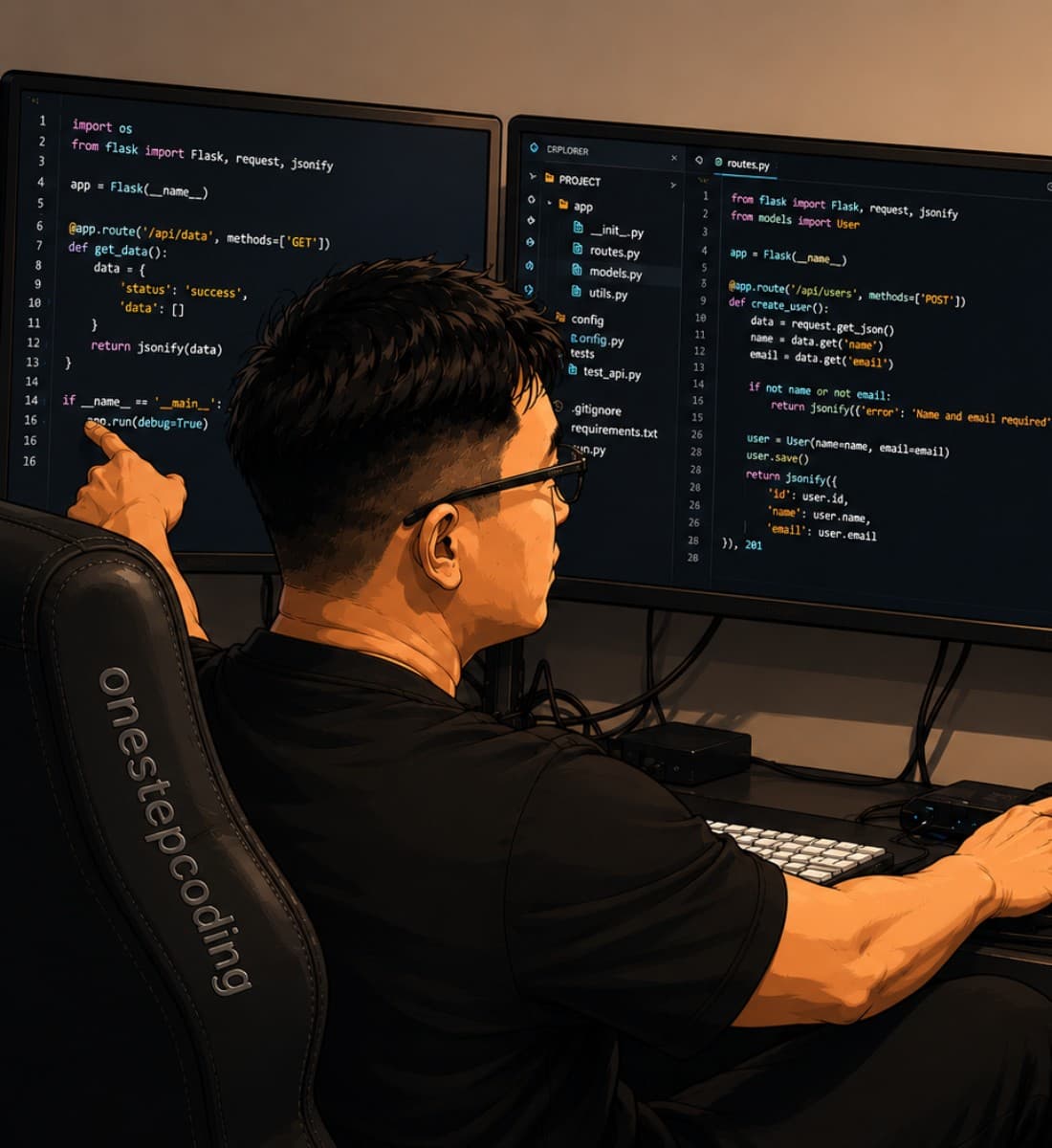
Rocky — a senior engineer with 25+ years of active software experience.

A senior software development manager who still ships software for a living, Rocky brings that real-world engineering practice straight into the room. He also runs AI and coding seminars for students and parents across Canada.

25+
Years in industry
AWS
Cloud specialist
Active
Dev manager today
Meet Rocky
Rocky coding — full-stack engineeringFull profile →
// Common questions

Before you
register.

Most-asked questions from parents and students. Still wondering? Ping us — we reply same day.

// Before camp day

Install Python & PyCharm at home

Please install both tools before your first session and bring a laptop with them ready. Students who arrive with Python and PyCharm already set up can jump into coding faster — it helps the whole class get started on time.

  1. Python

    Download the latest Python for your computer from python.org/downloads, run the installer, and complete setup before camp.

    Download Python →
  2. PyCharm

    Install JetBrains PyCharm before class (free Community edition is fine). Mac download: JetBrains PyCharm.

    Download PyCharm →
What should my child bring?

A laptop (Windows, Mac, or Chromebook), charger, and a notebook. We provide all software, hardware, and snacks. Arduino kits sold separately at registration.

What ages are camps for?

Kickstart and Parent Seminar: ages 10+. Pi Robot Car: ages 12+. AI Vibe Coding: ages 13+ with some prior coding experience helpful but not required.

What if my child has never coded?

Python Kickstart is built for total beginners. By day two, every student has written original code that controls real LEDs and sensors.

Refunds and changes?

Full refund up to 14 days before camp starts. Within 14 days, we will credit you toward a future camp or send a takeaway kit.

How big are the classes?

Our Clayton room comfortably fits up to 50 students. Every camp pairs the Lead Instructor with college-student TAs, so even larger groups get hands-on attention throughout the session.

// Where it happens

Clayton
branch.

Easy parking, walking distance from Cloverdale. Snacks, materials, and Wi-Fi included.

// Meeting room

Clayton Branch · Surrey BC

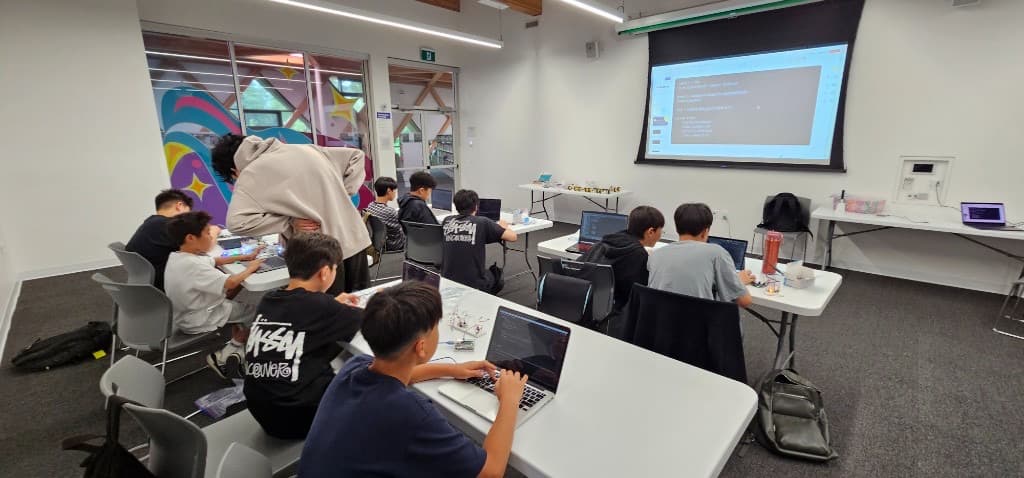
Our home base for every Summer 2026 camp. A dedicated maker-room with projector, full equipment kits, and a long workbench made for soldering, building, and pairing on code — with room for up to 50.

Address
Clayton Branch Meeting Room
Surrey, BC